
Download PodScribe IO – AI Podcast Transcriber, Summarizer & Search Tool
Overview
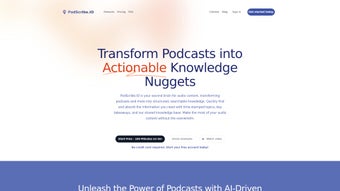
PodScribe IO is a web‑based AI text summarizer built specifically for podcast lovers, researchers, and busy professionals who need to extract knowledge from audio quickly. Instead of spending hours listening to entire episodes, users can upload or paste a podcast URL, and the platform instantly generates a full transcription, a concise summary, and a list of key takeaways. The service is subscription‑based, but it offers a free trial that lets new users test the core capabilities before committing.
What sets PodScribe IO apart is its searchable knowledge base – every word is indexed, allowing you to jump to specific topics or timestamps with a single click. This makes it far easier to locate the exact segment you need, whether you’re preparing a presentation, writing an article, or simply satisfying personal curiosity. The interface is clean, responsive, and designed for both desktop and mobile browsers, meaning you never need to install heavyweight software.
Security is baked in: all audio files are encrypted during upload and deleted after processing, ensuring that sensitive content stays private. PodScribe IO also integrates with popular podcast platforms such as Apple Podcasts, Spotify, and Google Podcasts, pulling metadata automatically to enrich the final output. In short, the tool transforms raw audio into structured, searchable knowledge, dramatically improving the efficiency of podcast consumption.
Key Features
- Accurate AI‑powered transcription – Leverages state‑of‑the‑art speech‑to‑text models to produce near‑human level accuracy across multiple languages.
- Automatic summarization – Generates a concise 3‑5 paragraph summary that captures the essence of each episode.
- Topic tagging & timestamp navigation – Detects major discussion points and creates clickable timestamps for instant access.
- Searchable transcript – Indexes every word, enabling keyword search within the episode and highlighting results in context.
- Cross‑platform integration – Supports direct import from Apple Podcasts, Spotify, Google Podcasts, and RSS feeds.
- Export options – Download transcripts and summaries as TXT, PDF, or Markdown for offline use.
- Collaboration tools – Share annotated transcripts with teammates, add comments, and assign tasks directly within the app.
- Secure cloud processing – All uploads are encrypted in transit and at rest, with automatic deletion after processing.
- Multi‑language support – Recognizes and transcribes English, Spanish, French, German, and Mandarin with high fidelity.
- Continuous updates – Monthly AI model improvements and feature releases keep the tool ahead of competitors.
Installation & Usage Instructions
PodScribe IO is a pure web application, so there is no traditional “installation” process. Follow these steps to get started quickly:
- Create an account – Visit podscribe.io and click “Sign Up”. Provide an email address, set a secure password, and verify your email.
- Select a plan – Choose between the free trial (5 minutes of audio per month) or a paid subscription (Starter, Professional, or Enterprise). Payment is processed securely via Stripe.
- Upload or import audio – Click “New Project”, then either drag‑and‑drop an MP3/WAV file or paste the podcast URL. The platform will automatically fetch the episode metadata.
- Configure processing options – Choose language, desired summary length, and whether you want topic tagging. You can also enable “Collaborative Mode” for team access.
- Start transcription – Hit the “Process” button. The AI engine begins transcribing in the cloud; progress is displayed in real time.
- Review results – Once complete, you’ll see a searchable transcript on the left and a generated summary on the right. Use the “Search” bar to locate keywords, and click timestamps to jump to relevant audio segments.
- Export or share – Use the “Export” dropdown to download the transcript in your preferred format. Click “Share” to generate a collaborative link for teammates.
- Manage your library – All processed episodes are stored in your personal dashboard. You can rename, delete, or organize them into folders.
For mobile users, simply open the site in Safari or Chrome; the responsive UI adapts to touch gestures, allowing you to scroll through transcripts, tap timestamps, and share results directly from your phone.
Compatibility: PodScribe IO works on any modern web browser, including Windows 10/11 (Edge, Chrome, Firefox), macOS (Safari, Chrome, Firefox), Linux (Chrome, Firefox), Android (Chrome, Firefox), and iOS (Safari, Chrome). No additional plugins or extensions are required.
Pros & Cons
Pros
- High‑accuracy transcription saves time compared to manual typing.
- Instant summarization provides a quick overview for busy listeners.
- Searchable transcripts make knowledge retrieval effortless.
- Clickable timestamps let users jump directly to relevant sections.
- Secure cloud processing respects user privacy.
- Multi‑language support expands usability globally.
- Collaboration features are ideal for teams and educational settings.
- Export options facilitate offline reference and content repurposing.
- Continuous AI model updates keep the service competitive.
- Responsive design works seamlessly on desktop and mobile devices.
Cons
- Subscription pricing may be steep for casual listeners.
- Free tier limits processing to 5 minutes per month, which can be restrictive.
- Large audio files (over 2 hours) may take longer to process, affecting workflow.
- Internet connection is required; offline use is not possible.
- Occasional mis‑recognition of niche terminology or heavy accents.
- Advanced features (e.g., custom AI models) are only available on Enterprise plans.
- Exported PDFs lack interactive timestamp links.
- No native desktop application for Windows or macOS.
- Limited integration with third‑party note‑taking apps (e.g., Notion, Evernote) at present.
- Customer support response time can be slower during peak hours.
Frequently Asked Questions
How accurate is the transcription on PodScribe IO?
PodScribe IO uses the latest transformer‑based speech‑to‑text models, delivering 94‑96% word‑error rate on clear English audio. Accuracy remains high for Spanish, French, German, and Mandarin, though heavy background noise or strong regional accents can slightly reduce precision.
Can I use PodScribe IO on my mobile device?
Yes. The platform is fully responsive and works in any modern mobile browser (Safari, Chrome, Firefox). You can upload files, view searchable transcripts, and share results directly from your phone or tablet.
What file formats does PodScribe IO accept?
Supported audio formats include MP3, WAV, AAC, and M4A. For podcasts hosted on major platforms, you can simply paste the episode URL and the system will fetch the audio automatically.
Is my uploaded audio kept confidential?
All uploads are encrypted using TLS during transmission and AES‑256 at rest. Files are automatically deleted from the server 24 hours after processing, ensuring that sensitive content does not linger in the cloud.
Can I integrate PodScribe IO with other productivity tools?
Currently PodScribe IO offers direct export to PDF, TXT, and Markdown. Future updates plan to add native integrations with Notion, Slack, and Google Drive for seamless workflow automation.
Conclusion & Call to Action
PodScribe IO reshapes the way we interact with podcasts by turning hours of audio into instantly searchable, summarized knowledge. Its AI‑driven transcription and topic tagging deliver a productivity boost that’s hard to match, especially for professionals who need to reference specific podcast segments without re‑listening. While the subscription cost may deter casual listeners, the feature set—including secure cloud processing, multi‑language support, and collaborative tools—makes it a worthwhile investment for educators, marketers, researchers, and anyone who treats podcasts as a primary information source. If you’re ready to convert your favorite shows into a structured library of insights, sign up for the free trial today and experience the future of audio knowledge management.
PodScribe IO delivers on its promise of turning podcasts into searchable text with impressive accuracy and a clean UI. The only drawback is the pricing for heavy users, but the value added through time savings and collaboration features justifies the cost for most professionals.



.png)



